Whether you’re building your first app or leading a development team, the React vs React Native question is one you’ll likely face. Both were created by Facebook and share similar foundations, yet they serve completely different goals.
This guide will help you clearly understand the key differences, benefits, and best use cases for React and React Native. By the end, you’ll feel confident in choosing the right technology for your next web or mobile project.
React vs React Native: What Are They?
Let’s start with the basics.
What is React?
React, also called ReactJS, is a popular open-source JavaScript library used for building fast, dynamic, and interactive web applications. It allows developers to create reusable components and manage a website’s UI efficiently using JSX (a syntax that looks like HTML embedded in JavaScript).
What is React Native?
React Native is a framework built on top of React that’s designed for building mobile applications — not web apps. It lets you write code once and run it on both Android and iOS, using native mobile components like <View>, <Text>, and <Image> instead of HTML elements.
React vs React Native: Installation Process
Here’s how these two technologies stack up in key areas
1. Installation
- React is easy to get started with. Just include it via a CDN or use Create React App (CRA) to scaffold a new project.
- React Native requires a more complex setup. You’ll need tools like Xcode (for iOS) and Android Studio (for Android). It simulates the real mobile environment.
2. Efficiency
- React: Ideal for web development. Its component reusability, fast rendering via virtual DOM, and strong ecosystem (React Router, Redux) make it highly productive.
- React Native: You can reuse a big chunk of code across both iOS and Android, speeding up development and reducing costs.
3. Technology Stack
- React: Purely web-focused, using HTML, CSS, and JavaScript (or TypeScript).
- React Native: Uses JavaScript + native code integrations (Java, Kotlin, Swift, or Objective-C) where needed.
4. Integration & Flexibility
- React: Easily integrates into existing web projects. Can be used with any backend and works well with libraries like Redux, Axios, or Tailwind.
- React Native: Offers native modules and APIs, but requires more platform-specific logic. Still, it’s highly customizable.
5. SEO
- React: SEO is important on the web. React supports server-side rendering with frameworks like Next.js, making it SEO-friendly.
- React Native: Since mobile apps are not indexed by search engines, SEO is irrelevant here.
React vs React Native: Key Differences
Here’s where things really start to diverge.
| Feature | React | React Native |
|---|---|---|
| Platform | Web | Mobile (iOS & Android) |
| Rendering | Uses DOM | Uses native mobile components |
| Styling | CSS | Stylesheets in JavaScript (inline or StyleSheet) |
| Navigation | react-router | React Navigation or Navigator |
| Storage | localStorage | AsyncStorage or third-party solutions |
| Performance | Excellent for web apps | Near-native performance for mobile apps |
| SEO Support | Built-in SEO tools available | Not a concern (mobile apps aren’t indexed) |
| Community & Ecosystem | Large, mature ecosystem | Growing, strong support |
6. Syntax and Components
- React: Uses JSX, a syntax that lets you write HTML-like code within JavaScript. Components are rendered to the browser DOM.
- React Native: Uses different core components like
<View>,<Text>, and<Image>instead of<div>,<p>, or<img>.
7. Navigation Tools
- React: Uses libraries like react-router-dom to handle navigation and routing in single-page apps.
- React Native: Navigation is handled by React Navigation, which is tailored to mobile transitions and screen stacks.
8. Storage Options
- React: Uses browser-based storage like localStorage or sessionStorage, which is perfect for saving user preferences or small data.
- React Native: Doesn’t have access to browser storage. Instead, it uses AsyncStorage or more advanced tools like MMKV or SQLite to store data on the device.
9. Development Speed
- React Native shines when you need to develop for both Android and iOS quickly using one codebase.
- React makes web development faster with hot reloading, component libraries, and a huge community.
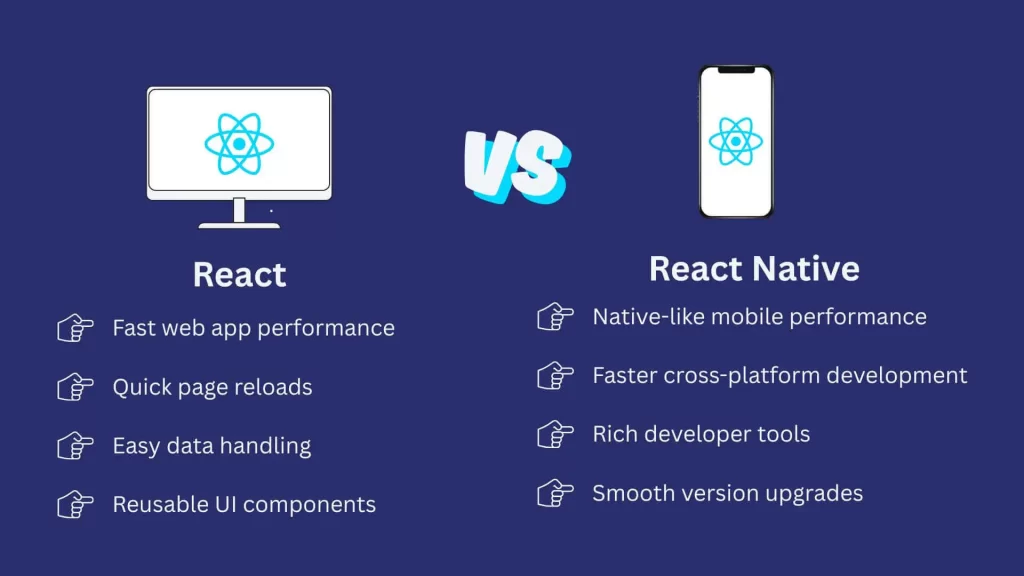
React vs React Native: Pros and Cons Comparison
React
Pros :
Cons :
React Native
Pros :
Cons :
🧠 Did You Know?
React Native isn’t a web app wrapped in a browser. It actually renders real native UI elements, which is why it feels more like a native app — because it is!
When to Use React vs React Native
Choose React if:
- You’re building a web app
- SEO is a priority
- You need tight control over your front-end architecture
- You prefer full flexibility and want to mix & match tools
Choose React Native if:
- You’re targeting mobile users
- You want a single codebase for Android and iOS
- Your app needs native performance but you’re on a tight timeline
- You already know React and want to reuse your skills
Final Thoughts on React vs React Native
The React vs React Native debate isn’t about which one is better — it’s about which one is right for your project.
Both React and React Native offer powerful tools to build high-performing apps — one for the web, and the other for mobile. While they share syntax and principles, the environments they target are very different.
If your project focuses on delivering a rich web experience, go with React. If you’re launching a mobile app and want to reach both platforms efficiently, go for React Native.
Need More Help?
Explore more technical breakdowns, development guides, and hands-on tutorials at The Code Mood.
Still unsure which to choose? Drop your questions in the comments — let’s build better together.
Leave a Reply